
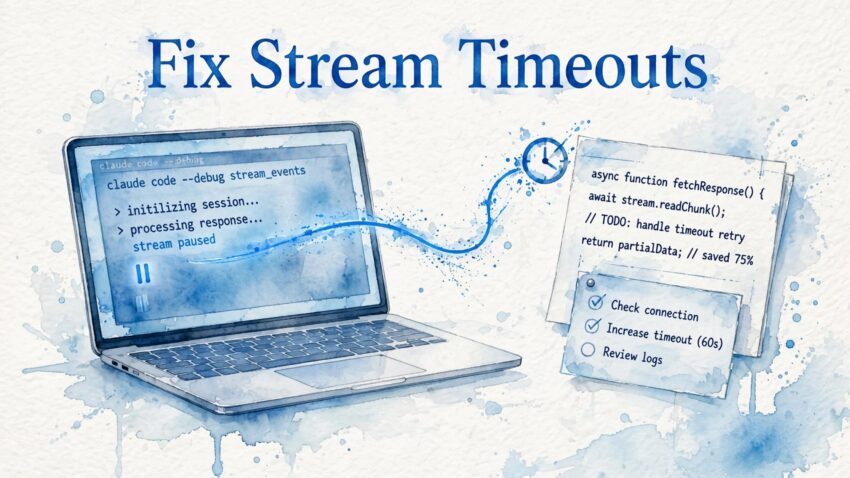
A stream idle timeout means a response connection went too long without activity. In Claude Code, your first steps are to preserve unfinished work, reduce the request, and retry a smaller task.
It’s frustrating to watch an answer begin, then stop, especially when you have limited time or energy. You don’t need to change every setting at once. Start with one manageable step, then use the result to decide what comes next.
Key takeaways
- Save partial output and inspect changed files before retrying.
- Smaller requests helped several users; switching models helped some but not others.
- Treat Claude Code workarounds and server timeout settings as separate troubleshooting paths.
What a stream idle timeout means
The message API Error: Stream idle timeout - partial response received means the connection delivered some response data before an inactivity limit ended it.

A pause differs from a long response
A streaming service sends information in pieces. An idle timeout measures a period without activity, rather than the entire time a request takes.
A long answer can continue when data keeps arriving. A shorter request can fail if the connection goes silent long enough. The message alone doesn’t identify which part of the service or connection imposed that limit.
Partial output doesn’t mean completed work
Some text may have arrived while a file write, command, or larger task remained unfinished. A response can look useful and still stop before an important step.
The JSON version may include statusCode: 500, type: "stream_idle_timeout", and needsRetry: true. Those fields describe the failure. They don’t establish that repeating the whole request will safely finish every action.
Recover your work before trying again
A retry feels like the obvious next step. First, pause long enough to see what the previous attempt actually accomplished.
Save output and inspect changes
Copy useful response text somewhere safe. In Claude Code, inspect file changes and command results before you repeat the instruction. A timeout doesn’t prove that every earlier action failed.
If the task involved Git, file creation, or another action with lasting effects, compare the current state with your intended result. Resume unfinished work rather than asking the system to repeat completed steps.
A timeout can interrupt the report of an action after the action itself succeeds. Inspect the result before repeating a command.
Refresh or start a shorter session
Users in r/ClaudeAI reported the error across web, Windows desktop, iOS, and command-line use. Refreshing or starting a new session offers a simple recovery attempt.
In web or mobile use, preserve your text before refreshing. In desktop or command-line use, inspect local work first. Carry only the essential instructions into a new session.
Users also reported different outcomes between apps and the command-line interface. Trying another interface may help you continue, but those accounts don’t establish that one interface always allows longer waits.
Reduce large requests before retrying
Several r/ClaudeAI users reported success after dividing large tasks into smaller steps. They associated failures more often with substantial reasoning or many simultaneous changes.
Separate planning from execution
Ask Claude to examine the task and propose a plan first. Then request one part of that plan.
For coding work, keep inspection, editing, and testing as separate requests when a combined request repeatedly fails. This gives you a stopping point after each completed action.
You also gain a clearer view of the problem. Does the request fail during analysis, file creation, or testing? A smaller request helps you locate the difficult step without asking the system to repeat everything.
Keep each file write manageable
One user reported success after running /compact, trying several model changes, and asking Claude to write a file in smaller chunks over roughly five attempts.
That account combines several changes, so it doesn’t show which change helped. Still, it offers a practical approach: request a limited portion of the work, inspect it, then continue.
For lengthy documents or reports, ask for one section at a time. For code, request one bounded edit rather than simultaneous changes across many files. Smaller outputs also give you less unfinished material to recover.
Try model changes and targeted write recovery
When smaller requests still fail, you can change the model or narrow how Claude performs the troublesome step. Keep each attempt deliberate.
Switch models without expecting a guarantee
Some users said switching from Opus to Sonnet resolved their stream idle timeout. Others said the same switch didn’t help.
Try the smaller task with the other model, rather than repeating the original large request unchanged. This preserves the benefit of a narrower task while you test another option.
Claude Code users also reported trying /compact. The command reduces conversation context through summarization. Preserve exact requirements and important details before you rely on a shortened conversation.
Use a subagent for persistent writes
One user reported success after moving the writing task into a subagent, a separate assistant assigned a focused task.
The approach involved a small Python script under 200 lines so the Write tool could finish quickly. This remains a user-reported workaround, not an established size limit.
Use that approach only when a script suits the work. Give it a narrow purpose and inspect its intended file changes before execution. A short script can still make extensive changes.
Understand the setting claim and usage cost
Two concerns often follow repeated failures: whether you can extend the waiting period, and whether unsuccessful attempts consume your allowance.
The environment-variable claim remains unverified
One r/ClaudeAI commenter proposed setting CLAUDE_STREAM_IDLE_TIMEOUT_MS to 600000 inside the env block of ~/.claude/settings.json. That number equals ten minutes.
The account doesn’t establish that Claude Code honors the setting or that it resolves this error. Treat it as an unverified user claim, rather than a dependable repair. Don’t let an uncertain setting replace the simpler recovery steps above.
Failed attempts can still consume usage
One user reported that a session consumed 6% of their weekly usage before failing. A retry reportedly consumed another 3%.
Those figures describe one person’s experience, not a standard charge. A failure after partial output can follow substantial processing, so the error doesn’t mean the service performed no work.
Avoid repeated identical retries. Preserve what you have, reduce the request, and give the next attempt a smaller goal.
Separate Envoy timeouts from Claude troubleshooting
Envoy is a proxy, software that sits between services and passes requests along. Envoy’s HTTP connection manager can apply limits at the HTTP and stream levels when you operate that infrastructure. Shared terminology doesn’t connect its defaults to a particular Claude Code failure.
These Envoy defaults measure different kinds of waiting.
| Setting | Default | What it measures |
|---|---|---|
| HTTP idle timeout | 1 hour | Inactivity on an HTTP connection |
| Stream idle timeout | 5 minutes | No upstream or downstream stream activity |
| TCP idle timeout | 1 hour | Inactivity on a TCP connection |
| Route timeout | 15 seconds | The overall response deadline for a route |
Cluster connect_timeout | 5 seconds | Establishing an upstream connection, including its TLS handshake |
The important distinction is connection, stream, or whole request. A downstream connection and its stream can have separate inactivity limits, so idle connections and inactive streams can be governed separately.
Envoy’s stream idle timeout measures how long a stream can remain without upstream or downstream activity. “Upstream” means toward the service; “downstream” means toward the requesting client.
A route’s idle_timeout can override the broader stream setting. That override matters when a streaming endpoint needs a different inactivity allowance than ordinary requests.
Configure streaming endpoints with bounded waits
This section is for people who manage a gateway or application server. In an Istio deployment, operators can use an EnvoyFilter to customize proxy settings. Ordinary Claude app users don’t need to edit proxy settings.
Distinguish inactivity from a response deadline
Envoy’s default 15-second route timeout doesn’t suit WebSocket and gRPC streams. Configure Envoy’s route to accommodate streaming, and use a stream idle timeout to limit silent periods.
Setting stream_idle_timeout to 0s disables that safeguard. Abandoned streams can then remain open longer and consume resources. A longer, bounded wait often offers a more controlled choice than removing the limit entirely.
Account for the load balancer
AWS Application Load Balancer has a default idle timeout of 60 seconds. In this arrangement, give the gateway application’s idle timeout a larger value, such as 65 seconds.
Increasing only the gateway’s limit won’t prevent a load balancer from closing a connection at its own earlier limit.
Envoy exposes timeout counters including downstream_cx_idle_timeout and upstream_cx_idle_timeout. Prometheus exports include envoy_http_downstream_cx_idle_timeout and envoy_cluster_upstream_cx_idle_timeout.
Use these counters to investigate connection inactivity. They don’t, by themselves, explain a particular interrupted model response.
Frequently asked questions
Why does another Claude session work?
Different sessions contain different histories, instructions, and tasks. One session may complete a short request while another struggles with a large write.
That difference doesn’t reveal a single cause. Compare a smaller request across sessions rather than assuming that one successful conversation rules out a problem elsewhere. Keep the task and requested output similar enough to make the comparison useful.
Can I rely on an unfinished health-related answer?
An interrupted answer may omit a qualification, warning, or next step. Don’t treat partial output as complete medical guidance.
Whether your question concerns cancer treatment, remission, or Parkinson’s disease, bring treatment decisions to your care team. When you face a life-threatening disease, you deserve a complete conversation about your options.
Our discussion of cancer and artificial intelligence explores AI-assisted journaling. Keep that supportive use separate from medical decision-making. Save your own questions outside the chat so a technical interruption doesn’t take them away.
Continue with one smaller step
A stream idle timeout leaves unfinished work, but repeating the entire request can add uncertainty and consume more usage. Preserve the result, inspect changes, and retry a smaller task.
Model changes and focused writing approaches helped some users. Proxy settings belong to a separate investigation when you control the infrastructure.
You don’t have to solve every possible cause at once. Begin with the next action you can safely complete.
